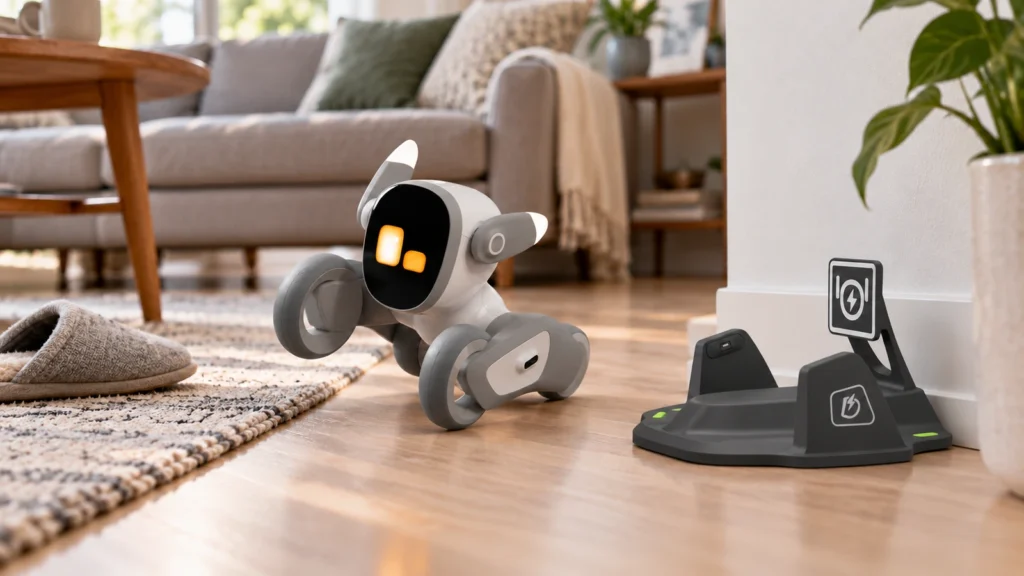
Loona Petbot can be expressive, entertaining and surprisingly lifelike, but it is not a perfectly autonomous household robot. Its main limitations involve battery life, automatic charging, Wi-Fi dependence and voice recognition.
Most of these problems do not make Loona unusable. They do mean that owners should expect occasional intervention instead of assuming the robot will manage everything by itself.
Quick answer: Loona works best in a home with stable Wi-Fi, open hard floors and enough patience for occasional setup or charging assistance.
Check Loona Petbot’s current price on Amazon
This article contains affiliate links. OFUD may earn a commission from qualifying purchases at no additional cost to you. This guide is based on current specifications, support information and recurring user concerns rather than an in-house physical test.
The main Loona Petbot problems
| Problem | What buyers should expect |
|---|---|
| Battery life | Around two hours of continuous play |
| Automatic charging | May require help if the dock or route is poorly positioned |
| Wi-Fi | Voice, monitoring and connected features need a stable connection |
| Voice recognition | Commands may need to be repeated in noisy rooms |
| Navigation | Clutter, thick rugs and uneven surfaces can reduce consistency |
| Cloud dependence | Some important features rely on external online services |
How long does Loona’s battery last?
Loona is rated for approximately two hours of continuous play. Actual battery life can vary depending on movement, conversations, camera use and connected features.
Two hours may be enough for short family play sessions, but it is limited compared with a device that remains available throughout the day. Loona spends part of its ownership cycle either searching for the dock or recharging.
The automatic dock helps, but it does not completely remove the need to think about battery life.
Does Loona always return to its charging dock?
Loona is designed to locate its dock and recharge automatically when its battery becomes low. When everything works correctly, this is one of its most convenient features.
The process becomes less reliable when:
- The dock is surrounded by furniture or objects.
- Toys, cables or other clutter block the route.
- Loona must cross thick carpet or an uneven surface.
- The dock is moved frequently.
- The charging contacts are dirty or poorly aligned.
Placing the dock against a wall on a clean, hard floor gives Loona a clearer target. Owners should also leave enough open space in front of it.
Automatic charging should be treated as a useful feature rather than a guarantee that no assistance will ever be required.
How dependent is Loona on Wi-Fi?
Loona can perform some local movements and interactions without an active internet connection, but several important features depend on Wi-Fi and online services.
Internet access is needed for functions such as:
- Initial setup and account connection.
- Voice recognition.
- AI conversations.
- Firmware updates.
- Remote control and monitoring.
- Some app-connected activities.
Loona supports 2.4 GHz and 5.8 GHz Wi-Fi networks. Even so, weak coverage or restrictive router settings can prevent the app from finding the robot.
After Loona wakes from sleep, it may also take a short time to reconnect. The manufacturer recommends waiting approximately 30 seconds before attempting to connect through the app.
Why does the Loona app sometimes fail to connect?
Connection failures can have several causes, including an incorrect password, unstable signal, router device limits or security settings that block unfamiliar devices.
Basic troubleshooting includes:
- Restarting Loona and the app.
- Confirming that the phone and robot are using the expected network.
- Checking whether the router has reached its device limit.
- Temporarily disabling mobile data during Android setup.
- Resetting Loona’s Wi-Fi connection.
- Testing with another network or mobile hotspot.
Loona is not the best choice for someone who wants a completely offline robot. Its most advanced features are tied closely to its connection.
Does Loona understand voice commands reliably?
Voice recognition works best when the room is quiet and the user speaks clearly within a reasonable distance.
Televisions, conversations, music and household appliances can interfere with the wake phrase. Children may also need to slow down or repeat a command if they speak quickly or from across the room.
This creates a noticeable gap between promotional videos and everyday use. A short demonstration usually happens in controlled conditions, while a real family room can be much louder.
The microphones are capable, but Loona should not be expected to understand every command on the first attempt.
Can Loona move on carpet?
Loona’s wheels and navigation sensors work best on flat, uncluttered surfaces.
Hard floors generally provide the easiest environment. Thick rugs, raised edges, loose cables and small objects can interrupt movement or make the route back to the dock more difficult.
Loona uses cameras and sensors to detect obstacles, but it cannot understand every household object perfectly. A toy, dark edge or unusual surface may still confuse it.
Creating a clear play area significantly improves the experience.
Can these problems be fixed?
Some limitations can be reduced through setup:
- Keep the dock in one permanent position.
- Provide open space around the charging area.
- Improve Wi-Fi coverage where Loona plays.
- Remove cables and small objects from the floor.
- Install firmware and app updates.
- Use voice commands in a quieter environment.
Other limitations are part of the product itself. Two-hour battery life, cloud dependence and imperfect navigation cannot be completely solved through settings.
If Loona repeatedly shuts down, becomes unusually hot, cannot charge or displays persistent errors, owners should stop troubleshooting casually and contact product support.
Is Loona still worth buying?
Loona’s problems matter most when expectations are too high.
It is not a completely independent home robot that will respond perfectly, navigate every surface and manage its battery without help. It is an interactive AI companion with impressive movement and personality, but it still behaves like an evolving consumer technology product.
The experience makes more sense for people who enjoy smart gadgets and do not mind occasional troubleshooting. Someone looking for a simpler desktop companion may prefer one of the alternatives in our Loona vs EMO vs Eilik comparison.
For a broader look at its features, strengths and ideal buyer, read our complete Loona Petbot review.
Frequently asked questions
What is the biggest problem with Loona Petbot?
The biggest limitation is the combination of short battery life and dependence on a successful return to the charging dock. Wi-Fi quality also has a major effect on its connected features.
Can Loona work without Wi-Fi?
Some local movements and interactions may work, but voice recognition, AI conversations, remote monitoring, updates and app-connected features require internet access.
Why is Loona not responding to voice commands?
Background noise, distance, pronunciation or an unstable connection can interfere with recognition. Try speaking clearly in a quieter room and confirm that Loona is online.
Can Loona navigate carpet?
Loona may move across some low-pile carpets, but thick rugs and raised edges can create difficulties. Hard, level floors provide the most reliable experience.
Does every Loona have charging problems?
No. Automatic docking can work well under suitable conditions. Problems are more likely when the route is cluttered, the surface is uneven or the dock is poorly positioned.